

A sneaker store that scaled with its culture
Case study · E-commerce · Web + mobile web · 2021–2022
A web and mobile-web redesign built during a platform move — lifting cart-to-checkout conversion by 42% on a structure that still runs wunder.com.tr four years later.
My Leadership & Role
As the lead product designer, I led the benchmark, design system and end-to-end redesign of WUNDER's web and mobile-web store — information architecture, navigation, search and product detail — while aligning with WUNDER's team and a third-party development partner. The new structure has carried the brand's growth for four years and still runs wunder.com.tr across 50+ brands.
Team
WUNDER team as stakeholders; a third-party company for development
Scope
Web + mobile web: IA, header, search, listing, product page, raffle
+42.2%
Cart → Checkout conversion (18.64% → 26.51%)
At a glance
Company
WUNDER — sneaker & streetwear retailer. Two stores in Istanbul + wunder.com.tr
The problem
The brief asked for “modern”. The site needed structure.
WUNDER was changing its e-commerce platform and wanted a site that looked and worked like the best sneaker stores in the market. That is a taste-driven brief — and taste-driven briefs tend to end in a reskin.
Looking at the old site, the issue wasn’t the styling. It behaved like a magazine with a shop attached. I framed the work as a structural redesign of four things — how the catalogue is organised, how you move through it, how you search it and how you decide on a product — and treated the visual refresh as the result, not the goal.
Approach
Benchmarking with the client, not for the client
Instead of presenting references, I reviewed Patta, SNS and Nike together with the WUNDER team. We walked the same flows across all three — navigation, search, listing, product page — and agreed which patterns fit WUNDER’s catalogue and customers. Those patterns became components in our own design system, not copied screens.
That gave “market standard” a concrete meaning both sides had agreed on before a single screen was drawn — and gave the external development team one component set to build.
1 · Reviewed together
2 · Patterns that fit
Image-led product grid
Predictive search
Size grid with sold-out state
Accordion product info
Filter chips
Image mega menu
3 · WUNDER design system
Product card
Size selector
Accordion
Chip
Header + mega menu
Sticky add-to-cart
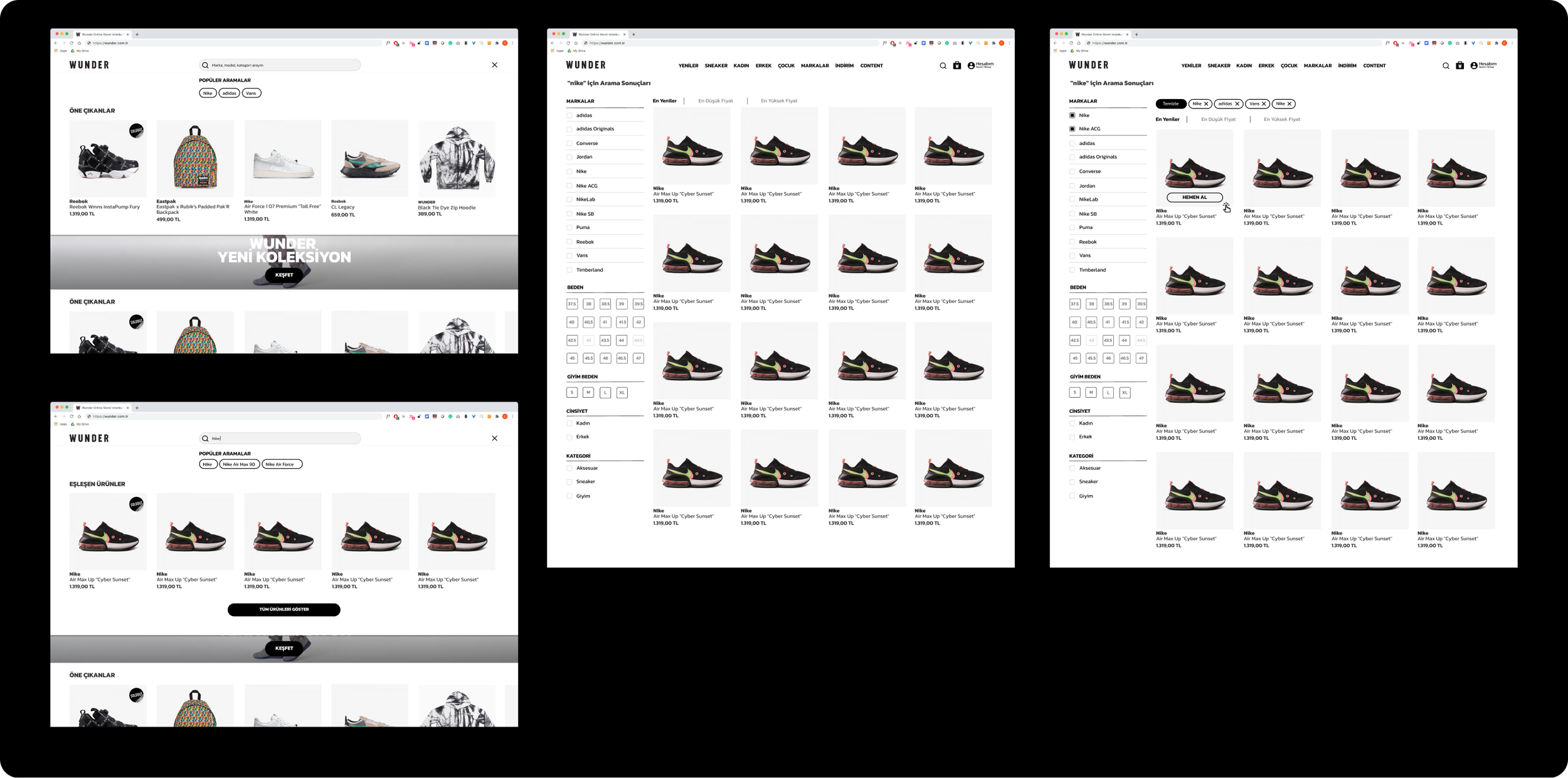
The same product card, size grid and chips assembled into search, results and filters — one component set the developers built once.
Foundation · Design system
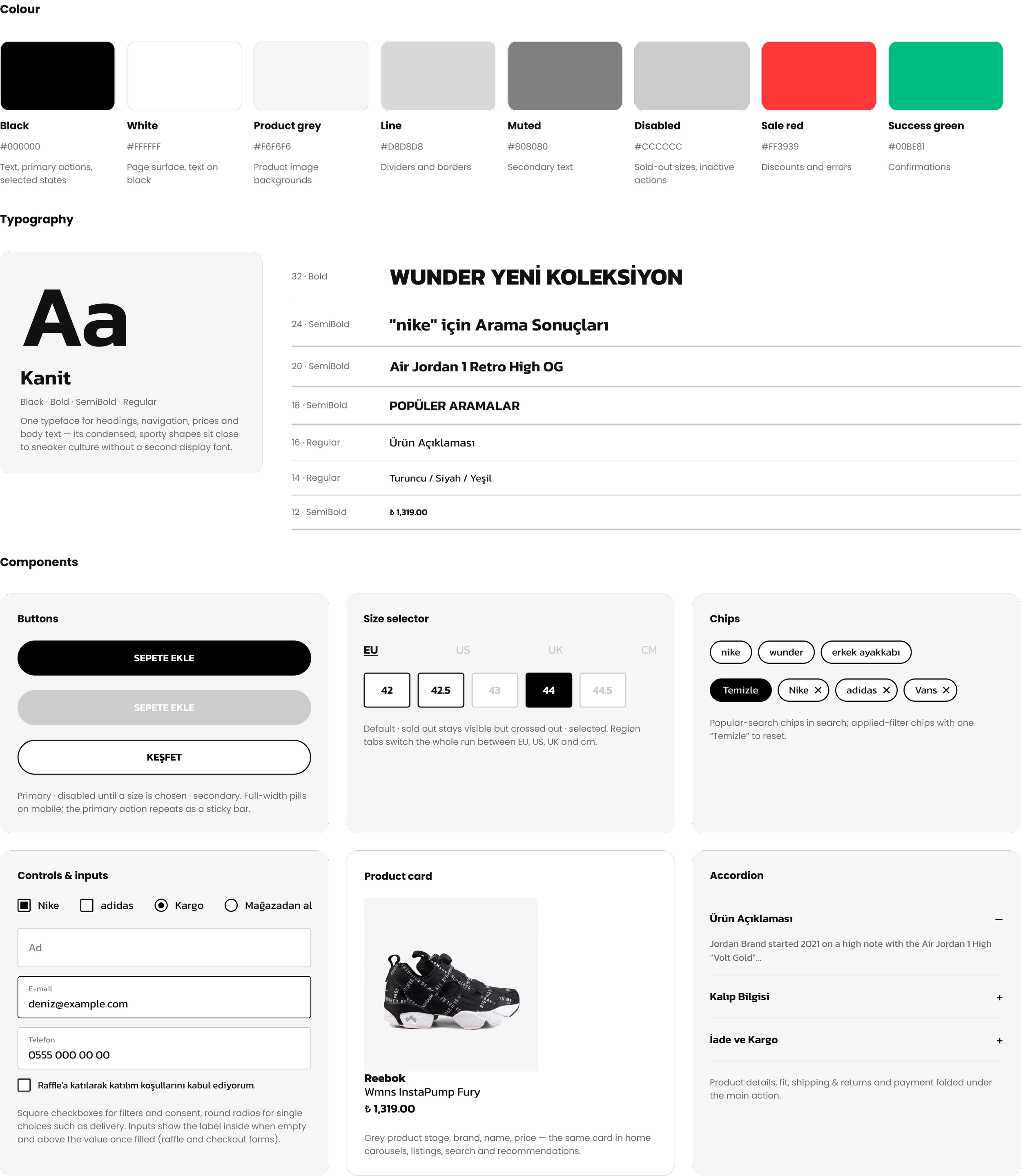
One component set behind every page
The patterns agreed with WUNDER in the benchmark became one small system: a single typeface, a near-monochrome palette and a set of components reused across home, listing, search, product page, bag and raffle. Keeping the interface black and white leaves colour to the products — the sneakers and campaign photography carry the brand — while one shared set of components gave the external development team a single thing to build.
Decision 1 · Information Architecture
Products Before Stories
Before
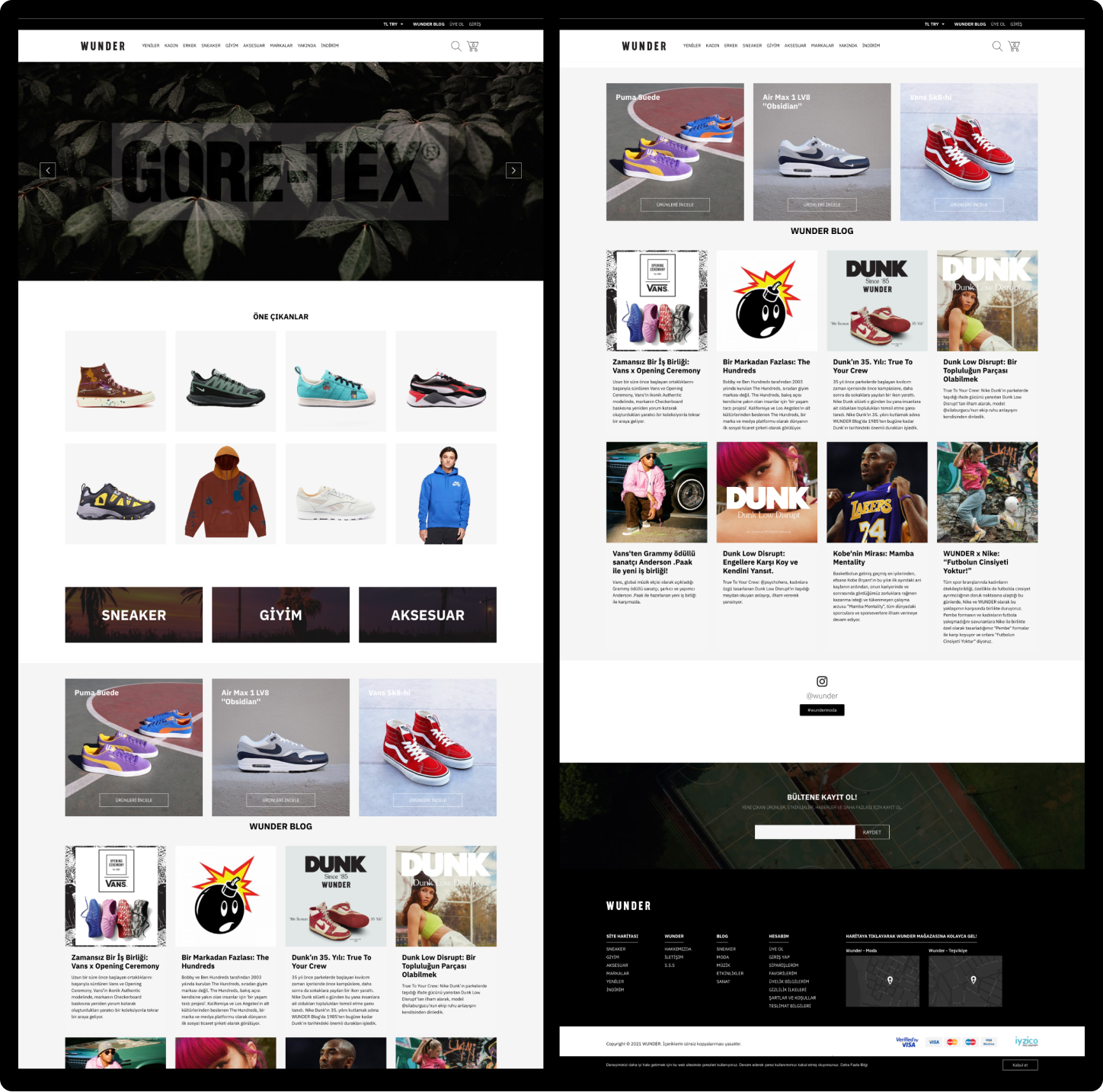
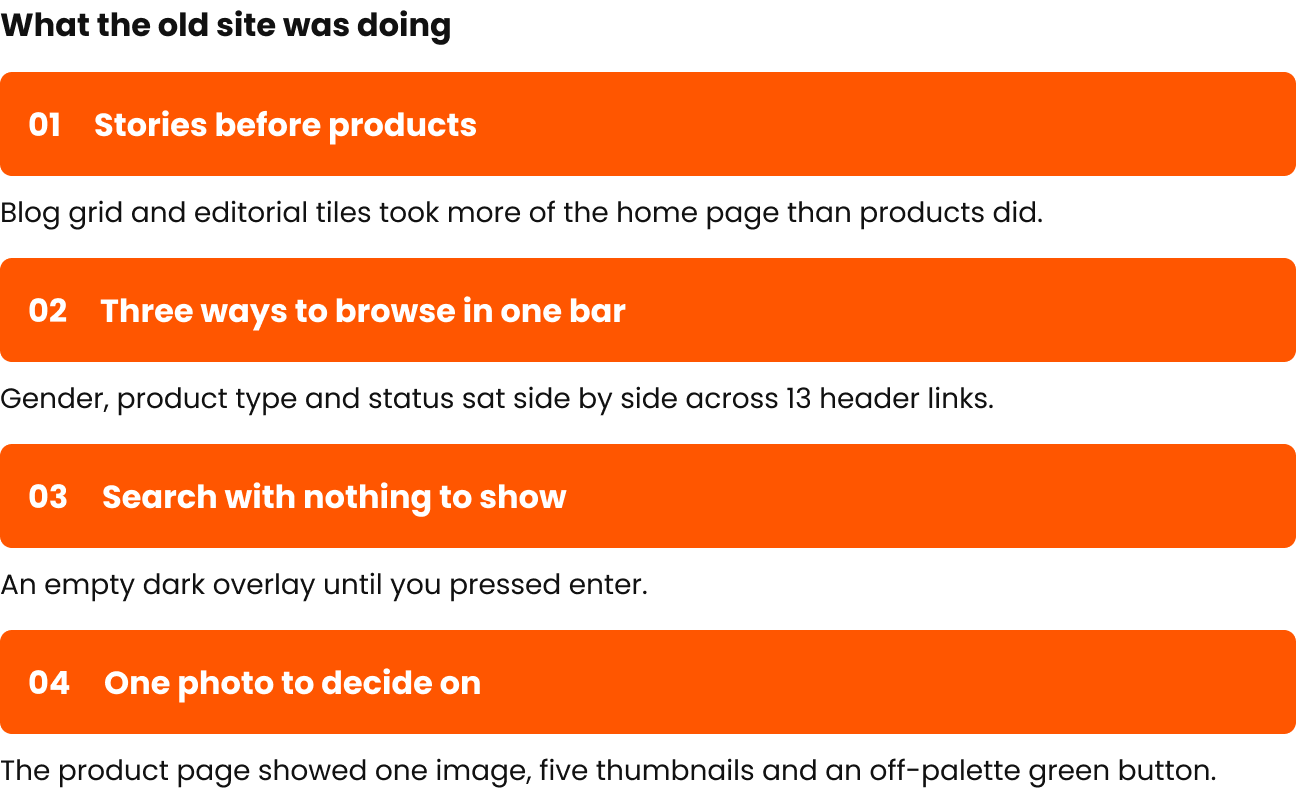
The home page opened with a campaign, eight featured products and category tiles — then three editorial tiles, an eight-article blog grid, Instagram and a newsletter band. Navigation and editorial content competed for the same space.
After
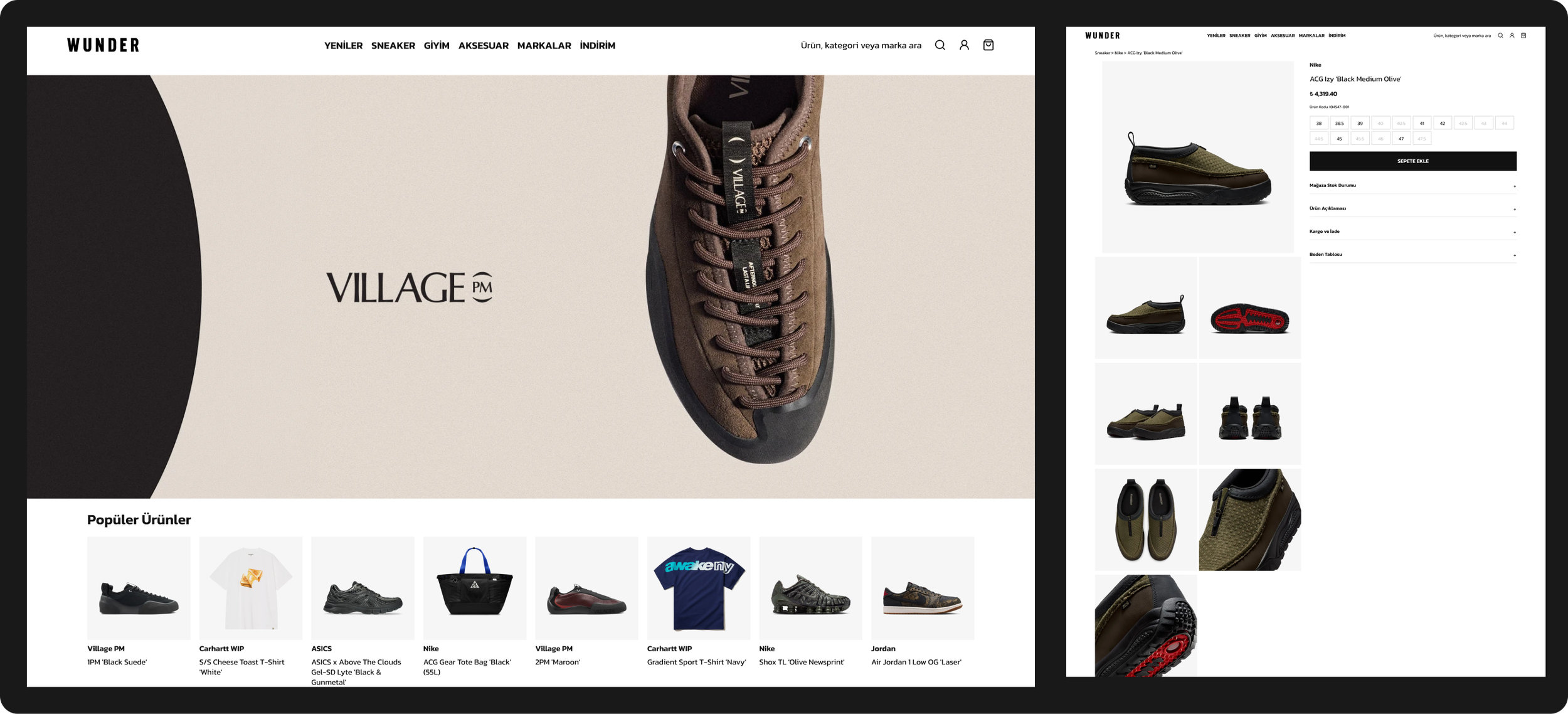
A sequence of shopping entry points: campaign → popular products → three category doors (Sneaker, Giyim, Aksesuar) → new arrivals → brand tiles → the two physical stores next to the newsletter. The footer took on navigation work too, with popular models and categories as direct links.
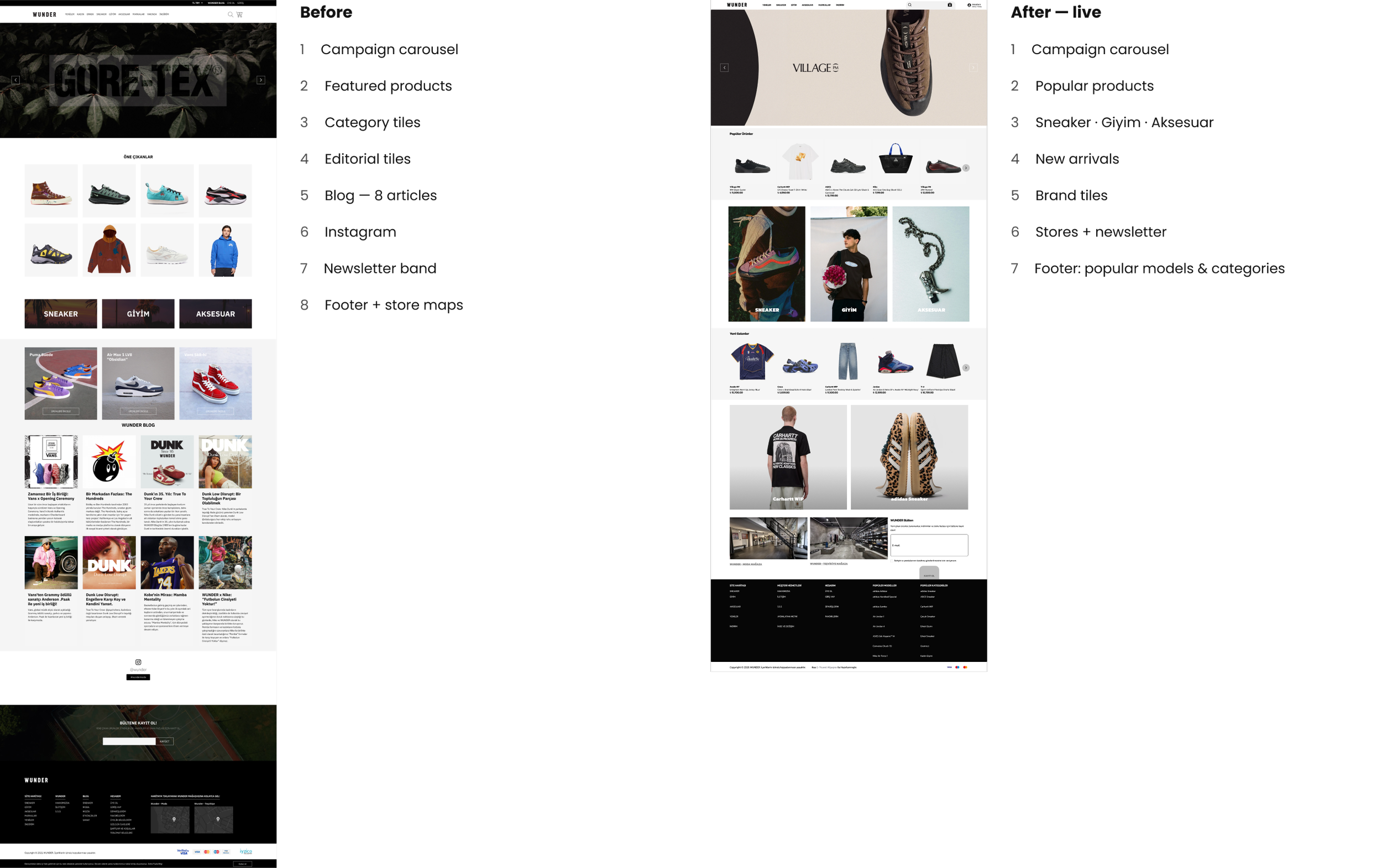
Same page, different job. Grey items on the left were content that pushed products down; on the right every block is a way into the catalogue.

Decision 2 · Header & Navigation
One bar, one axis
Before
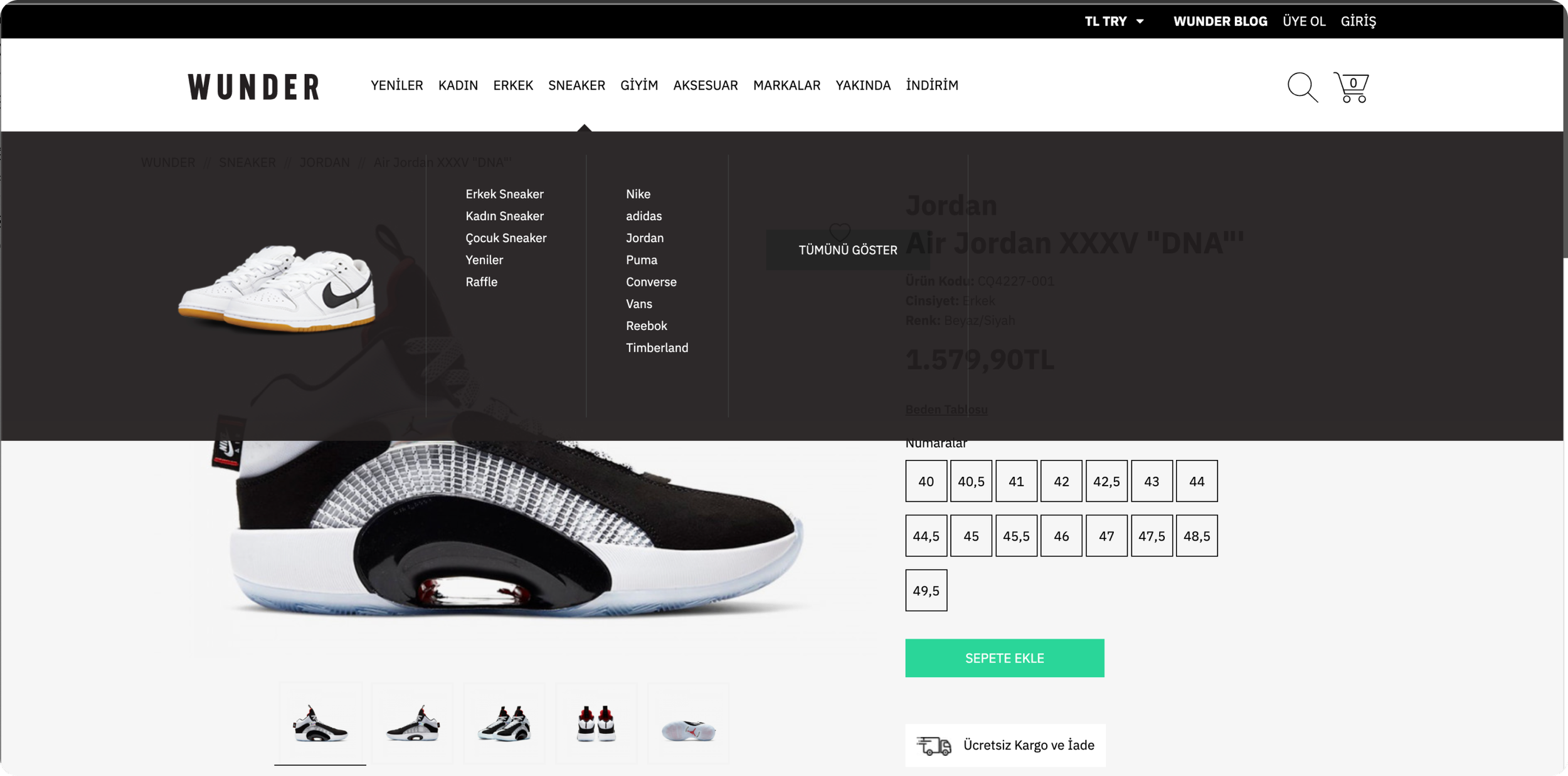
Two bars and 13 links. A utility bar (currency, blog, sign up, log in) sat above nine items that mixed three ways of browsing — by gender, by product type and through catalogue-wide lists (new arrivals, brands, coming soon, sale). The mega menu was two text columns and a single product image on a dark panel.
After
One bar. Product type leads, plus three catalogue-wide lists (Yeniler, Markalar, İndirim). Gender moved one level down into each mega menu, where it filters a category instead of competing with it. Search became a visible field; account and bag sit on the right.

Before — header + Sneaker menu
After — live header + mega menus
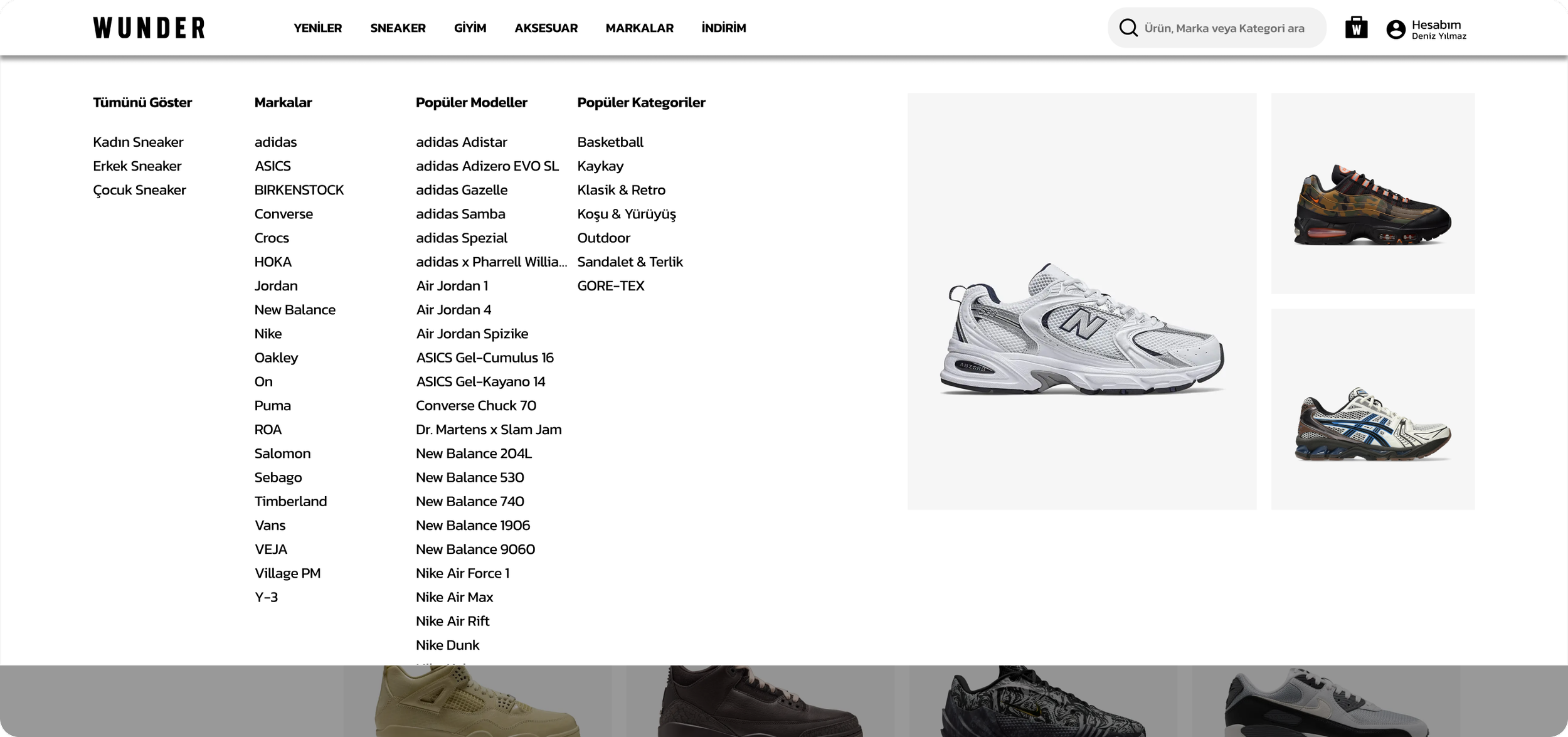
The mega menu became a structured panel — all items, gender, brands, popular models, popular categories — with image tiles that make it a merchandising surface, not only navigation.

Decision 3 · Search Experience
Search that helps before you type
Before
Search opened a full-screen dark overlay with an empty field. Nothing appeared until the query was submitted.
After
The empty state does work: popular searches as chips and a row of featured products. Typing updates suggestions and shows matching products inline, with a route into a full results page that uses the same filters as category listings.
Before
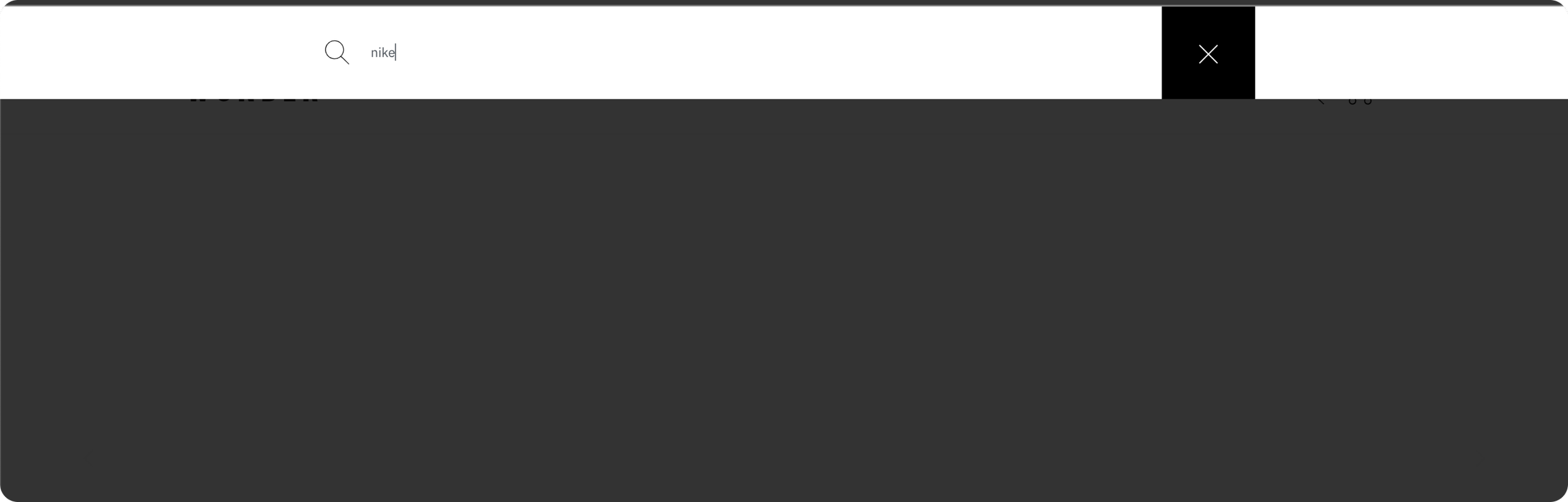
After — three states of one search
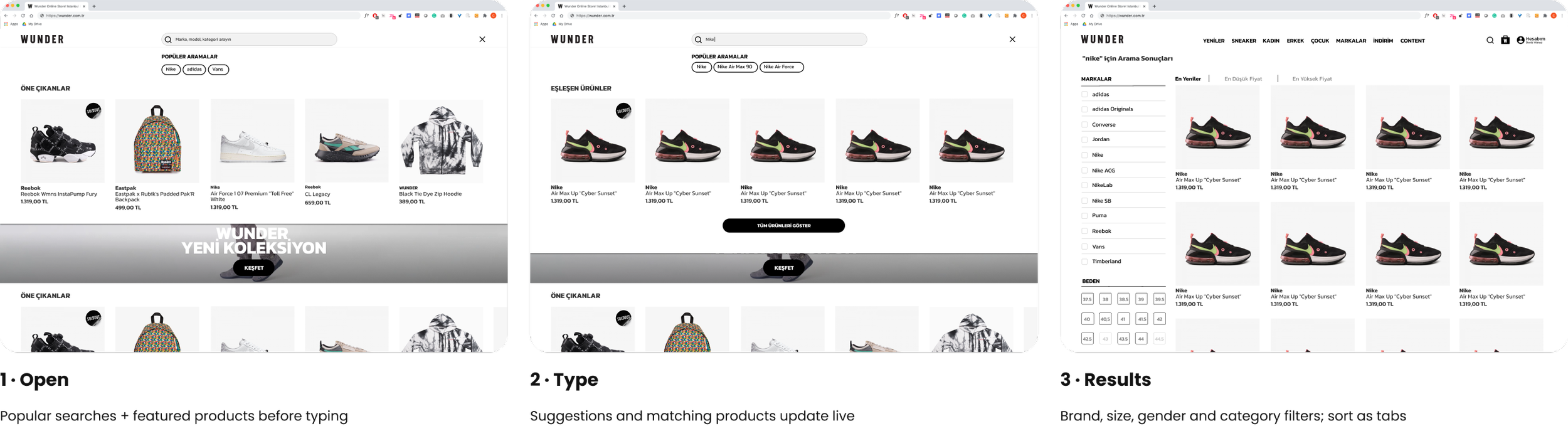
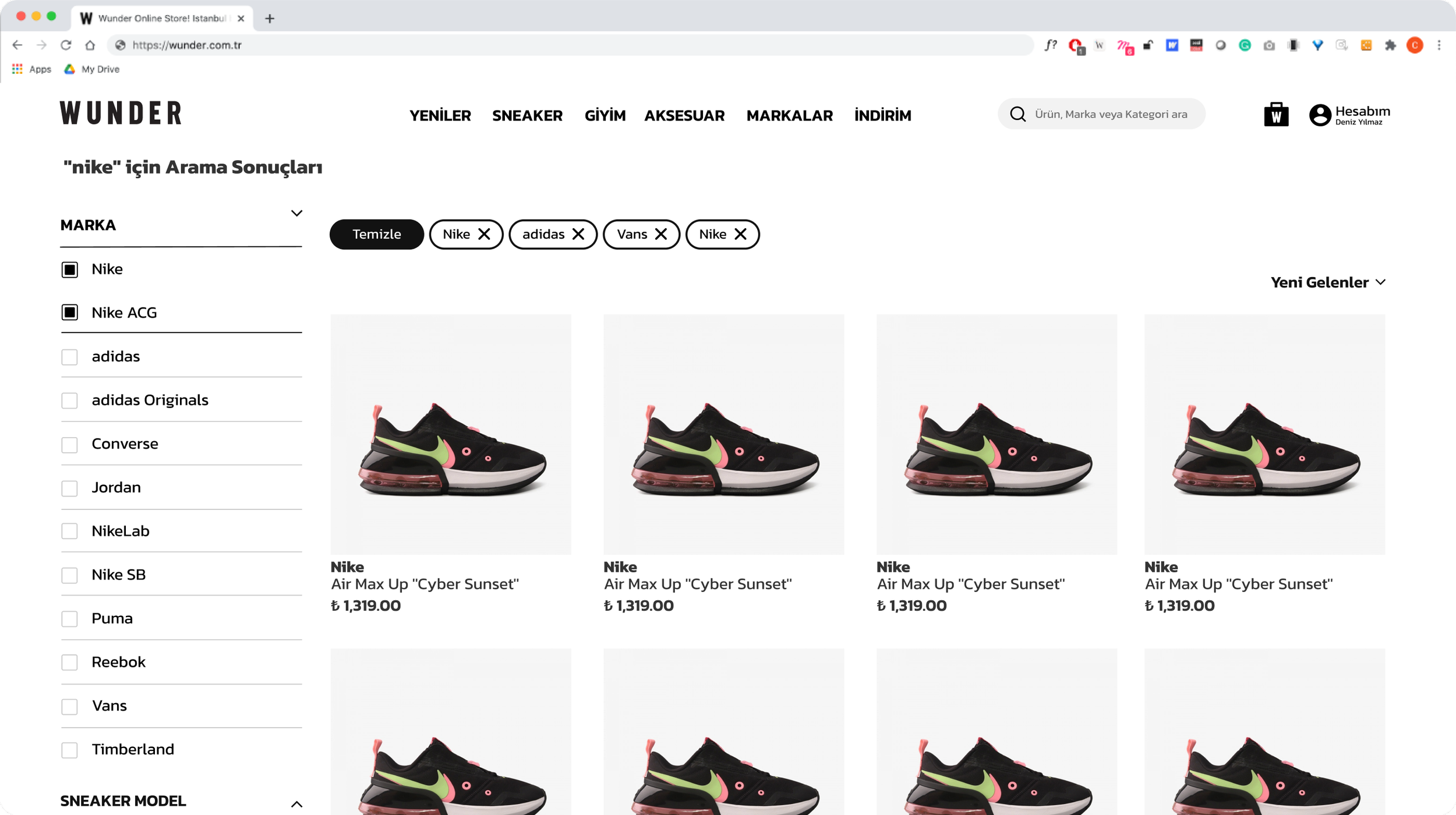
Applied filters become removable chips with a single “Temizle”. The popular-searches and featured-products pattern is still how search opens on wunder.com.tr today.

Decision 4 · Product Detail Page
A product page for people who buy on detail
Sneaker customers decide on soles, materials and the exact size run. The old page gave them one photo, five thumbnails, a 21-size grid and a mint-green button that matched nothing else on the site.
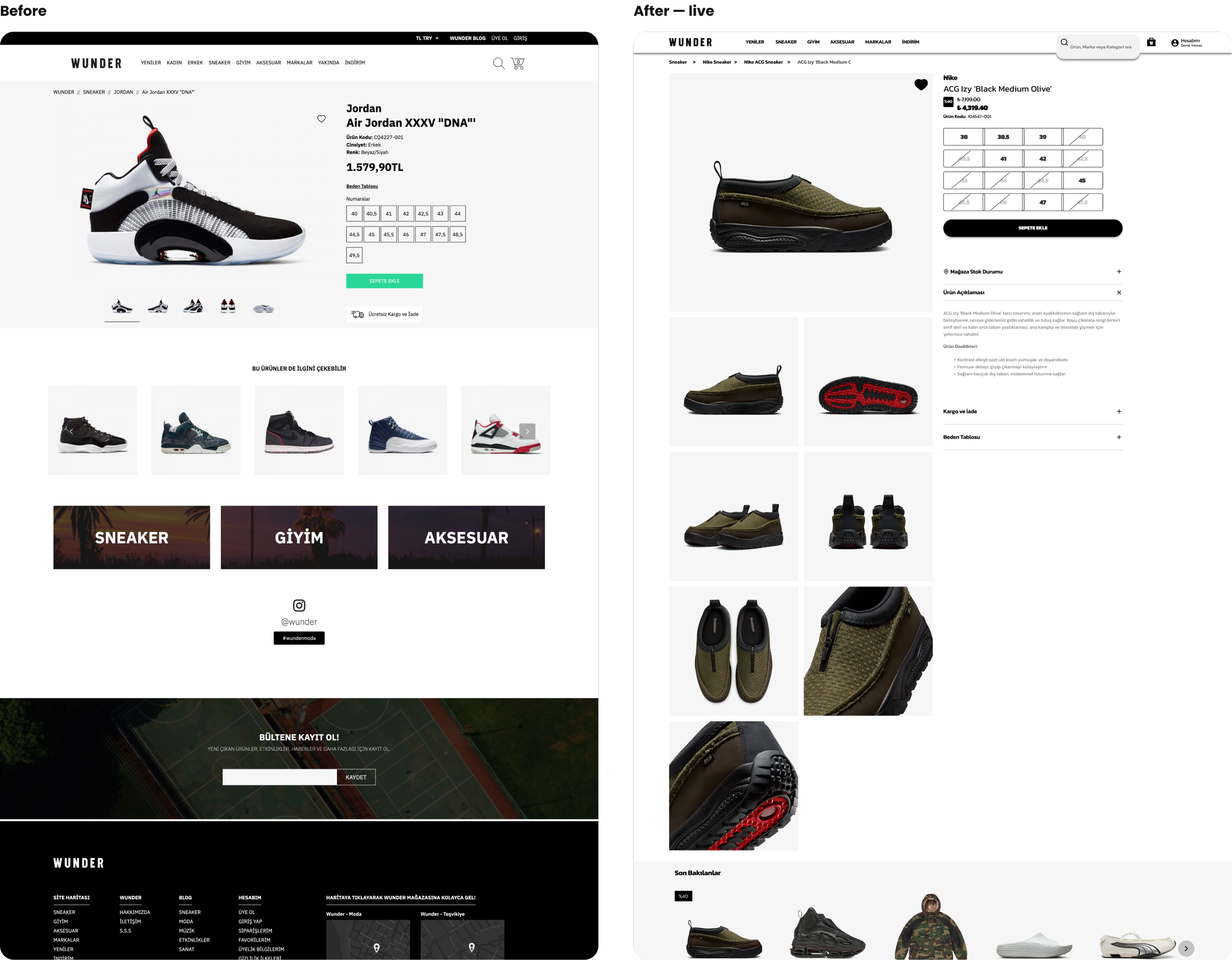
Images first
The full photo set as a scrolling two-column grid — soles, heels and materials visible without clicking through thumbnails.
One clear action
A black full-width “Sepete Ekle” in the brand palette, repeated as a sticky bar on scroll.
Two ways onward
Recently viewed and similar products replace one generic recommendation row.
A size grid that tells the truth
Sold-out sizes stay visible but crossed out, so customers see the full run and what is left. The 2021 design also switched between EU, US, UK and cm.
Answers in accordions
Store stock, description, shipping & returns and size chart sit under the action. Store stock links the page to the two physical stores.
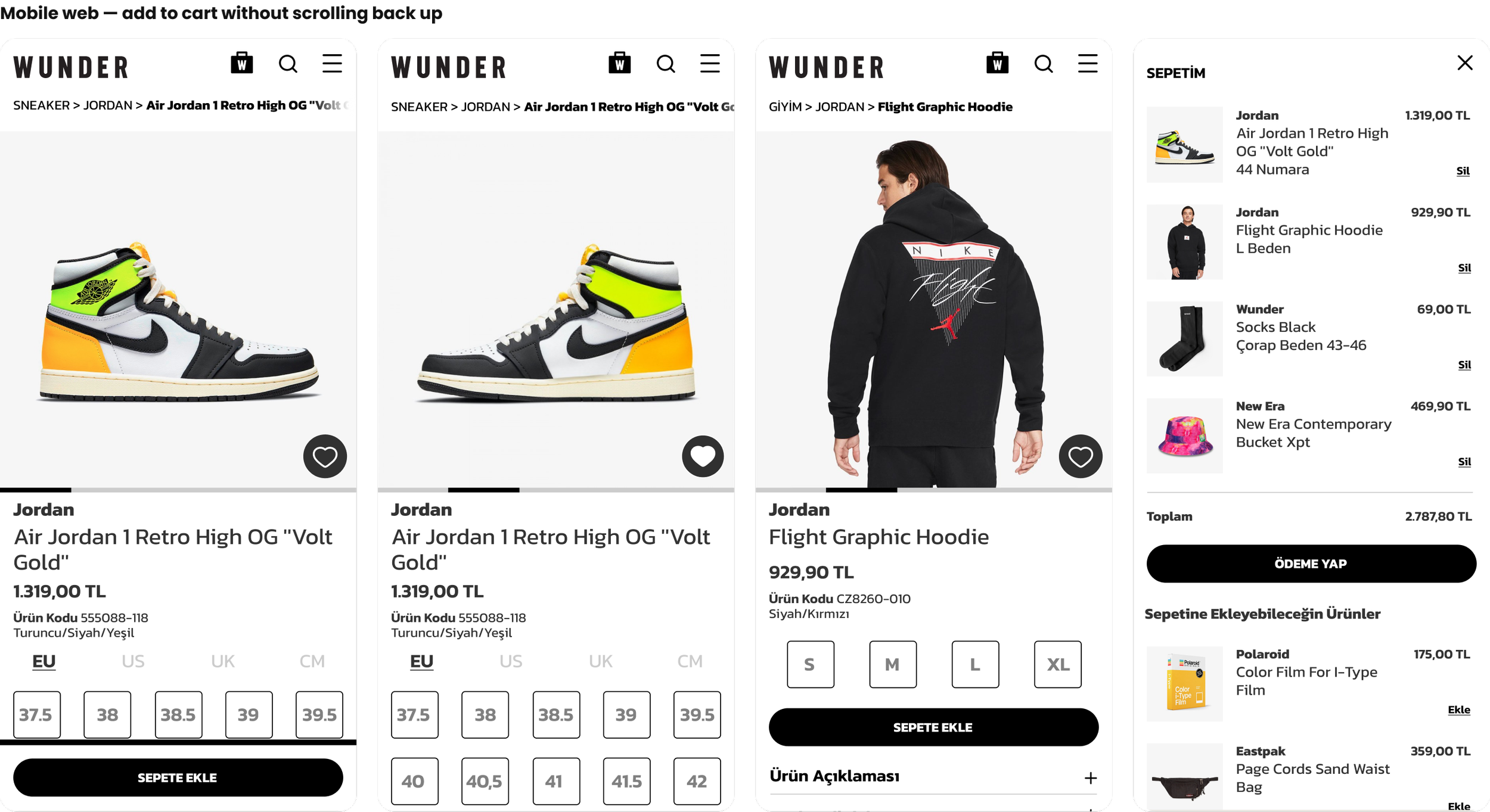
Mobile web: product page, the size sheet that “Sepete Ekle” opens in place, apparel with fit info, and the bag with suggestions to complete the outfit.

Also in scope · Raffle
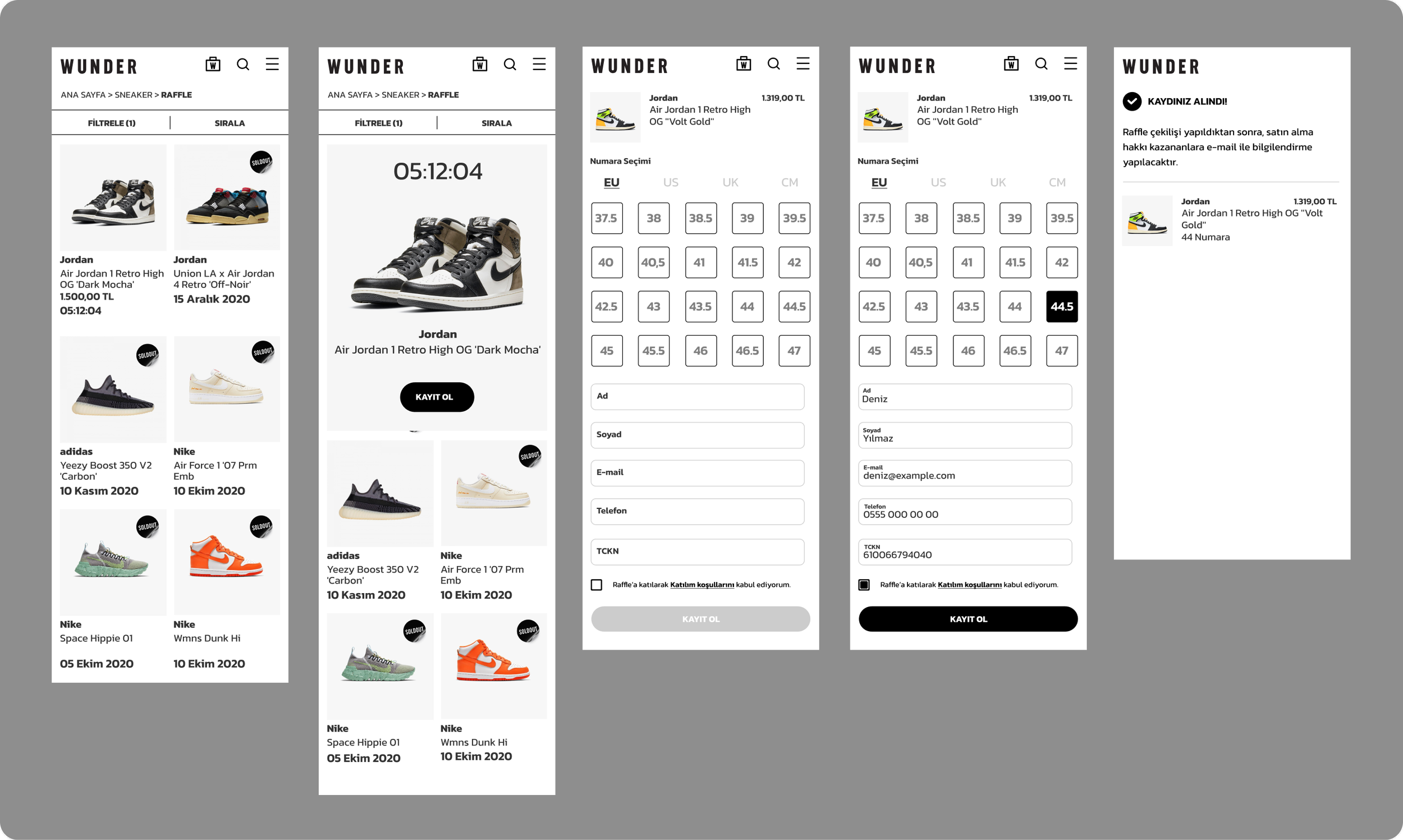
The same product page, switched into raffle mode
For limited releases, the product page swaps “add to cart” for an entry flow: countdown, size, a short form, confirmation. WUNDER turns it on only for hyped drops, and it is still in use.
Leading the work
Custom where it differentiates, standard where it doesn’t

Custom design for browse, search and PDP; ikas standard checkout kept as is.
The new site was built on ikas by a third-party development company. Checkout came from the platform and could not be custom-designed, so I put the design effort where WUNDER could stand out — discovery, search and the product page — and designed the rest to sit cleanly next to ikas’ standard flows.

Benchmarks reviewed together, so decisions were agreed before screens existed.

One component set and page templates, built once and assembled per page.
Outcome
A structure that grew with the company
Since the new site launched, WUNDER — and the culture around it — has grown significantly. The information architecture, header, search model and product page designed in 2021–2022 carried that growth without being rebuilt: they still run wunder.com.tr in 2026, now across a catalogue of 50+ brands. The raffle flow shipped and is still switched on for limited releases.
+40.6%
Mobile Cart → Checkout
18.32% → 25.76%
+49.2%
Desktop Cart → Checkout
20.28% → 30.26%
+42.2%
Cart → Checkout Conversion
18.64% → 26.51%